Reader Survey Results

Before I jump into this post, I want to say thank you to everyone who participated in my survey! You have no idea how much your answers helped me in putting the final touches on this blog, and narrowing down my focus for the content I create. I loved all of the notes many of you left too, which just reminded me of how fantastic my readers are!

I asked a total of 15 questions, but rather than talking about all of the answers I received, I want to focus on a few key questions that gave me the most interesting results. And just for clarification, the survey itself was made before I switched my blog name to The Blogging Brew, so I’ll be subbing it in to make things simpler!

What blogging platform do you use?

Over the past few weeks, I’ve seen at least ten of my favorite bloggers make the switch from Blogger to WordPress, and if it wasn’t the trend last year, it definitely is now. These results were about the percentages I expected, which I’m actually happy to see because it means I can continue posting Blogger tutorials knowing I have an audience for them.

Where do you hear about new posts on The Blogging Brew from?

While I had a feeling Bloglovin’ and Pinterest would be up there, I didn’t expect direct URL’s to be such a popular choice. I had a lot of readers tell me that they usually visit my site on their own accord, which was crazy to hear! I’m not sure why I was so surprised though, because there are a good chunk of blogs that I do the same for. Twitter ended up at the bottom of this list, so I plan on putting more focus into promoting on that platform and connecting with my followers.

How long have you been reading The Blogging Brew for?

I started my blog less than a year ago, so I didn’t have much room to work with for this question, but that did allow me to be more specific in my answer choices. It looks like I have a diverse group of readers, as the results ended up fairly even across the board. I loved seeing that almost a quarter of my readers have stuck with me for such a large period of my blog’s journey! It’s also great to note that another quarter of my readers are relatively new, which will hopefully set me up for continuous growth.

Which types of topics do you enjoy reading?

These were probably the best results I received, because they reassured me in the path I’m heading on with this blog. Almost everyone selected “blog tutorials” or “blogging tips”, and a lot of the extra comments I received touched on those as well. I guess The Blogging Brew was a good choice! One thing I didn’t expect to see was the large percentage of readers who selected “personal posts”. I’ve always felt like I struggle to create that type of content, so I thought it would be towards the bottom, but it ended up second overall! Because of that, I’m making an effort to create more personal content and let my readers get to know me more outside of my typical blogging tutorials.

How old are you?

I’m not going to lie, for basically the entirety of my blogging career, I’ve felt like a child amidst a community of moms and soon-to-be moms. I normally don’t think twice about it, until I make a post about my first year college and see my favorite bloggers debuting posts about their toddler’s birthday. That said, I was kind of shocked to see that so many of my readers are in my age group! That just made me realize that I need to connect more with my followers through outlets other than the Facebook communities I’m in, because there are a ton of you out there who I just don’t know about yet!

Do you own a business?

This was kind of a wild card question thrown in out of pure curiosity. With my plans to start a business later this year, I was interested in seeing how much of my audience has delved into that field, and it looks like y’all are loving the entrepreneurial life! Over 30% of you already own a business, and over half said that you’re either interested in starting one or are in the process of making one. It makes me so happy knowing how many of you are tapping into the creative business world, and I can’t wait to join in!

Keep an eye out for a post next week on creating your own reader survey and getting the results you want!
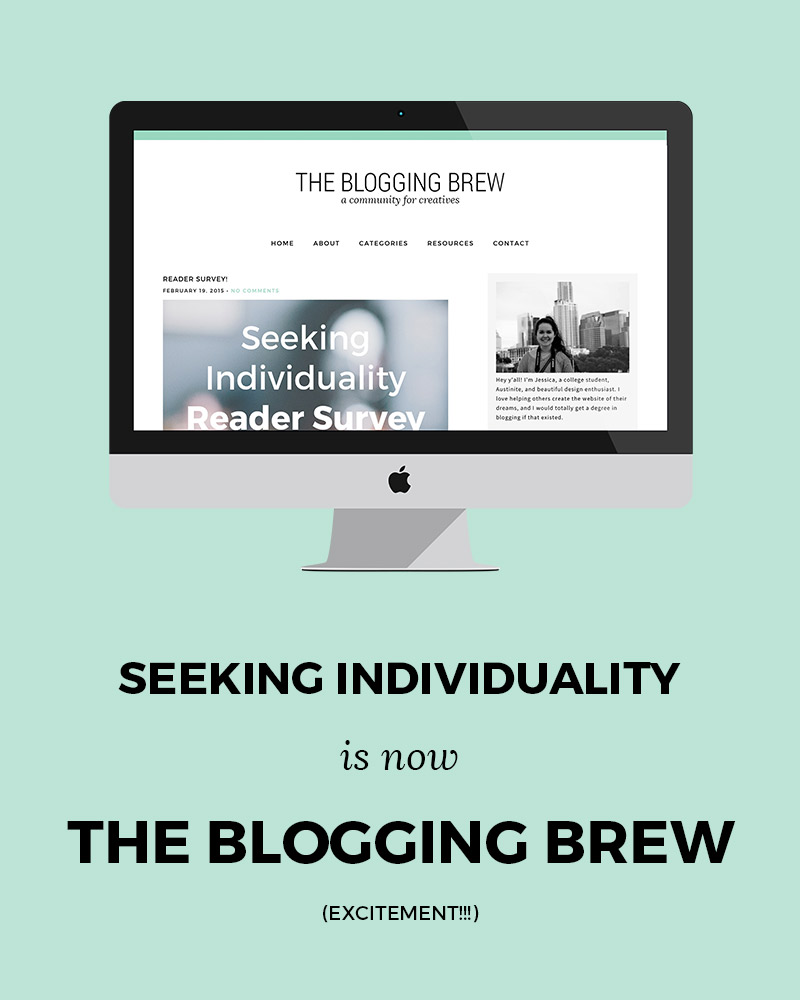
Launch Day!

I was going to wait until tomorrow to do this, but I couldn’t contain the excitement anymore. I’ve been hyping up this “big change” for a while now, and well, if you haven’t figured it out yet…

Launch-Day

!!!!!!!

Be prepared for an excessive use of exclamation points, because they basically sum up my mood right now.

Rather than writing out a huge explanation for all this, I’m just going to answer a few questions that’ll hopefully sum up this switch. Yes, I’m self-interviewing.

Why did you change your blog name?

When I first started my blog, I was absolutely set on making it…a DIY blog. And that lasted for about 2 weeks. I also had some intentions in posting about my life, and sharing about my efforts to be unique, hence Seeking Individuality. I had a lot of success in that category for a while, but as I settled into blogging and started branching out into new subjects, I realized what I really enjoy doining—helping people build beautiful blogs, and empowering them with the knowledge to keep growing. Seeking Individuality just didn’t fit with the goals I have for this blog, so I knew that changing it was a priority in my switch to WordPress.

How did you come up with The Blogging Brew?

If you’ve been following me, you probably saw my post a few weeks ago about my epiphany of sorts. I’d been thinking about what to call this blog for weeks, which was honestly the only thing keeping me from making the switch. One day, I was practicing yoga in my dorm, and it just hit me. I started freaking out and texting a few close friends, and they all assured me that it was the right choice. While I had originally considered using my own name, I decided that a) it wouldn’t embrace my intentions with this blog as much as I wanted it to, and b) (the real reason) it wasn’t worth spending over $800 to purchase it.

I guess it wasn’t completely random though. I knew that I wanted the name and design to be three things: welcoming, simple, and professional. The Blogging Brew is supposed to be a take on coffee shop names, because to me, coffee shops are associated with warmth, good vibes, and community. That’s where the tagline, “A Community For Creatives” came from. I want this blog to be a place where all creatives, from bloggers to designers to entrepreneurs, can come to for resources and inspiration. And I truly hope that’s what it becomes!

For those of you that enjoy my lifestyle posts, don’t worry—I’ll still be making those! I’m hoping that now that this relaunch is finished, I can focus on creating better content and exploring personal posts a bit more.

Why did you switch to WordPress?

I was in a huge debate with myself for a while about this decision. Part of me felt like Blogger was enough, and I couldn’t imagine that I needed anything more. After talking to a few blog friends though, I realized the investment would be worth it. Boy am I glad I did it! There are so many opportunities with WordPress, and with my heart set on starting a design business this year (that’ll be the next big project!), being able to design on two platforms will give me a huge advantage. I’ll be making a few posts about my switch and everything that came with it, because I have to admit, that was stressful and I don’t wish that stress upon any of you. I completely understand now why people are willing to pay for someone to make the switch for them, because had I not understood the coding languages or backend terms, I’m pretty sure I would’ve destroyed this site.

Now I’m really hoping this switch worked seamlessly, but considering I did this off googling tutorials alone, there may be a few bugs. That being said, I would absolutely appreciate any comments if you notice something isn’t quite right! One thing I’ll make note of—none of my old comments are on here because I was too lazy to switch them over by hand. I may do it eventually, but it’s 3am and I really just want to launch this dang blog.

Thank y’all for supporting me through this process, and I hope you enjoy these changes as much as I do!

xoxo, Jess

7 Resources For Tracking Your Social Media Presence

When I think about social media, I like to imagine little messengers going out and telling everyone about my new post. Every time someone finds out about it, they share it with someone else, who then share’s it with another person, and so on. Social media seems so simple, but it’s kind of crazy to think about how many eyes could end up on your content just by posting about it outside of your blog. Take Pinterest for example. A few people initially pin your post, then their friends see it and pin it as well, and then their friends see it and pin it too, and if you’re lucky, that process will continue for a long time. Soon enough, you’ve got yourself a viral pin that will bring in readers for years to come. But how do you know which techniques are working, and benefitting your blog in the long run?

As my following has grown, it’s become a lot easier to keep track of my social media presence. More posts means more sharing, which means more data to go off of. I’ve also bookmarked my fair share of resources that are really helpful in this process, and today I want to share those with you!

ShareTally

I heard about this website a few weeks ago, and I can’t believe I hadn’t found it before. You input a url to a specific post, and it scans all the shares that post has gotten on 21 different social media platforms. It’s super specific too, getting down to the number of likes vs. shares vs. comments on Facebook. I love using this website to see the long term popularity of a post. I check it every once in a while and compare the number to see if an old post is still getting shared around, which is always a good thing!

Twitter Analytics

Twitter tracks a lot about the tweets you make, so why not take advantage of that! The engagement rate (the number of users who engaged with your tweet divided by the number of users who saw it) is a great way to see which tweets capture your audience’s attention the best. You might begin to see a trend between high engagement rates and a certain aspect of your tweets, like an added picture or the use of hashtags. The graph is also an awesome visual tool for seeing which days your tweets do the best.

Pinterest Analytics

Pinterest also came out with an analytics tool, and it’s probably one of my favorite resources. They track traditional data like profile views and repins, but they also include a section tailored to tracking pins from your website (if you have that hooked up to your Pinterest account). I LOVE this feature, because I can see which posts are doing the best, which images may need improving, and which pins are staying popular in the long term. Without this tool, I never would’ve known that my college shopping list post from last year got over 100 repins! That might not be a lot in the big blogging world, but anything over like, 10, is a huge accomplishment for me.

Pin Plugin

This tool isn’t as detailed as Pinterest analytics, but it gives you a quick look at how well a post did on Pinterest by gathering the total number of pins made from a specific post. If you don’t feel like digging through the traditional analytics system, this tool is perfect for you!

Iconosquare

This is my central hub for Instagram statistics. Along with its beautiful interface, it has all the stats you could possibly want to know about your Instagram. You can even track your follower count, which could be really helpful during giveaway times if you added your Instagram URL to one!

Bitly

Most people see this solely as a way to create short URL’s, but it has a great statistics tool too! If you create an account, you’ll get a feed of all the links you create and some data about their performance. You can see how many total clicks the link got, as well as the number of clicks made on each social media platform. This might help you rethink your link placement strategies if one platform isn’t doing as well as others.

Pinterest Source Page

I know, lots of Pinterest, but this platform has proven to be the most helpful for my blog, so I track it the most! I had no idea this page existed, but it’s pretty fantastic. It compiles all of the pins made from your website, making it a great visual representation of how popular a post is. Just add your blog’s URL to the end of it so you can see pins from your website.

p.s. : 6 Tips For Growing Your Blog With Twitter + Using Pinterest Boards To Organize Your Life