I wrote about six ways to dress up your sidebar a few months ago, and I received a lot of comments from bloggers who were either thinking about or in the process of redesigning their sidebars. It sounded like everyone was excited to tackle that project, and I loved hearing how inspired they were! So to continue on the blog inspiration trend, I want to talk about another neglected space of most blogs—the footer.
Unlike the sidebar, the footer is hidden for most of the time a reader spends on your blog. The only way they’ll usually see it is if they’re curious about your blog and want to scroll through your home page, or if they decide to comment on a post they enjoy. It can seem redundant to spend time designing a part of your blog that doesn’t get nearly as many eyes as your content, but the eyes that do see it are most likely ones that are interested in your blog and want to learn more!
Similar to the sidebar, your footer takes up a good chunk of space on your blog, and has the ability to take up more than you might think. My footer is a little over 200 pixels in height, and I’ve seen even bigger ones! A lot of bloggers just put an attribution there, which is perfect if you’re looking for something simple and don’t want it to draw attention, but if you want to make your footer even more effective, there are tons of things you can add and style to your liking! Here are some examples:
- Email subscription opt-in
- Category buttons
- A logo element
- Your contact info
- Social media icons
- Navigation links
- Instagram/Pinterest widget
- Mini bio
- Popular posts list
I decided to keep my footer fairly simple by placing some of my popular posts on one side, and social media buttons along with my attribution on the other. I achieved this look by using the built-in footer widgets on my blog’s template, which are separated into three sections. If your blog doesn’t have this function, you can try playing around with the “float” property.
What’s best for my blog?
Depending on your blog’s content and your content marketing plan, some footer elements may benefit you more than others. For example, if you offer a mailing subscription for your readers, I would definitely recommend placing an opt-in in your footer! Likewise, if you create beautiful artwork, products, or anything visual and post about it on a social network, placing a widget for that social network in your footer would be beneficial. It’s all based on your needs! That said, try to avoid putting too much in your footer. It can easily take on a cluttered look, which isn’t what you want your readers to see after they’ve finished reading your amazing content!
Styling Your Footer
For simple styling, you can generally just edit the CSS of the “footer” tag. Here’s an example on one of my demo blogs:
footer {
  display: block;
  background-color: black;
  color: white;
  border-top: 3px solid #c4a0a4;
}
This is the effect that code would produce (the link color was set elsewhere in the stylesheet):

Footer Inspiration
I’m sort of a blog design enthusiast, so I love finding inspiration from other blogs and seeing what creative ideas are out there. If you’re planning on redesigning your footer, try searching around your favorite blogs and see what they included, or how they went about designing their footer to match their blog. I’m not saying you should steal their ideas, but looking around can really help when you’re stuck on what to do! Here are some of my favorite footer designs:
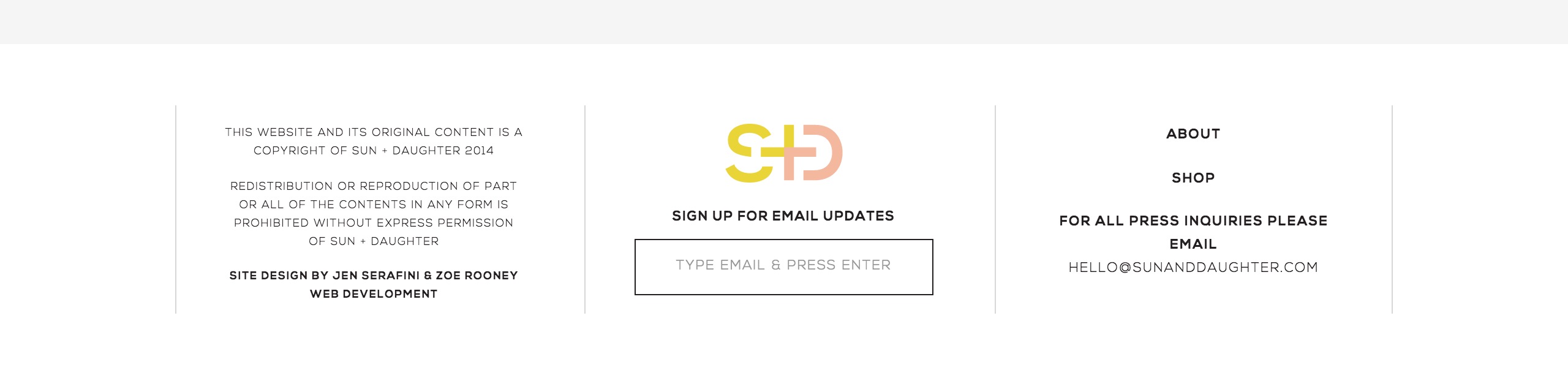
Source: Sun + Daughter

Source: Love Grows Design

Source: Meredith Noelle
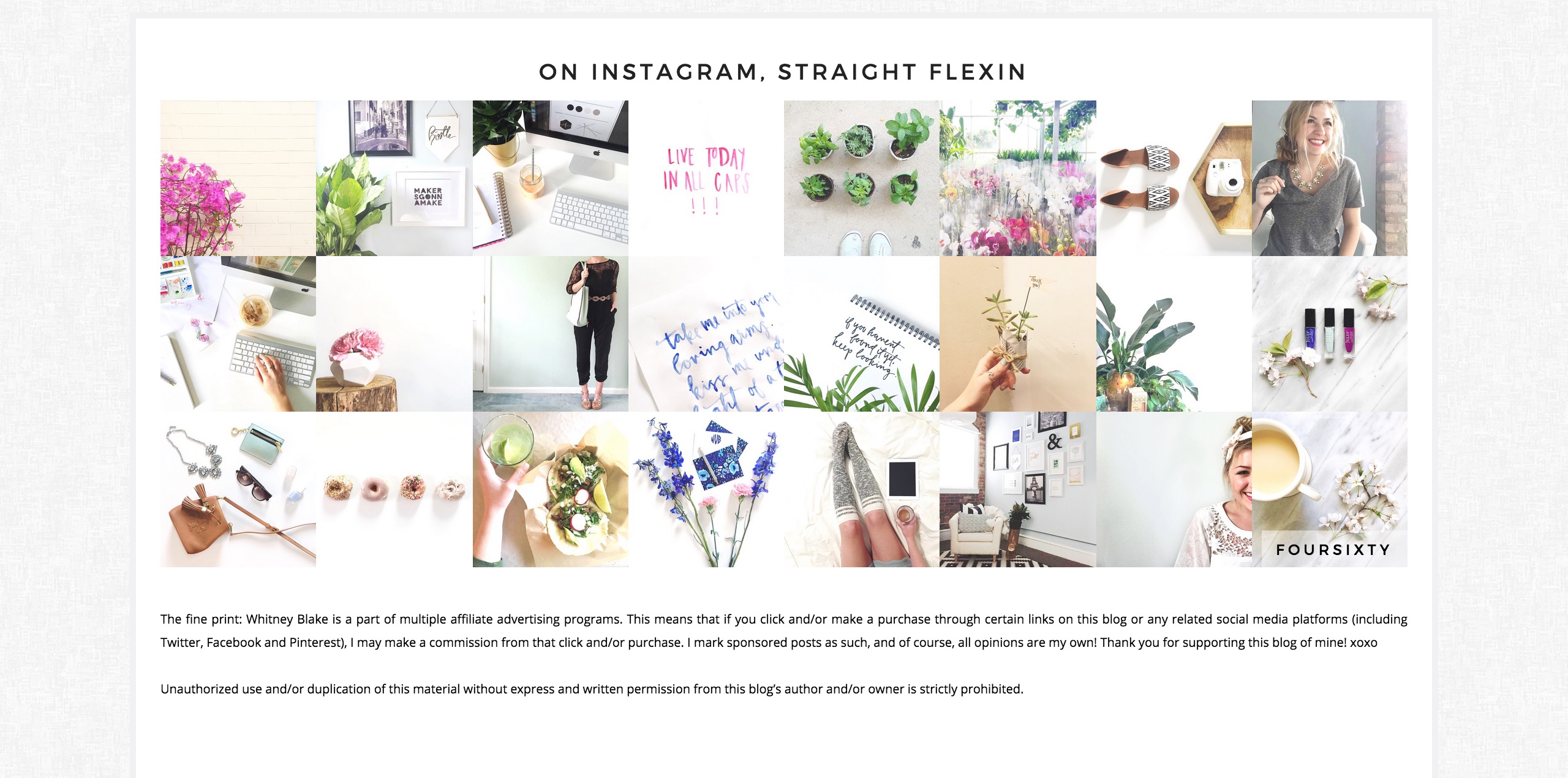
Source: Whitney Blake
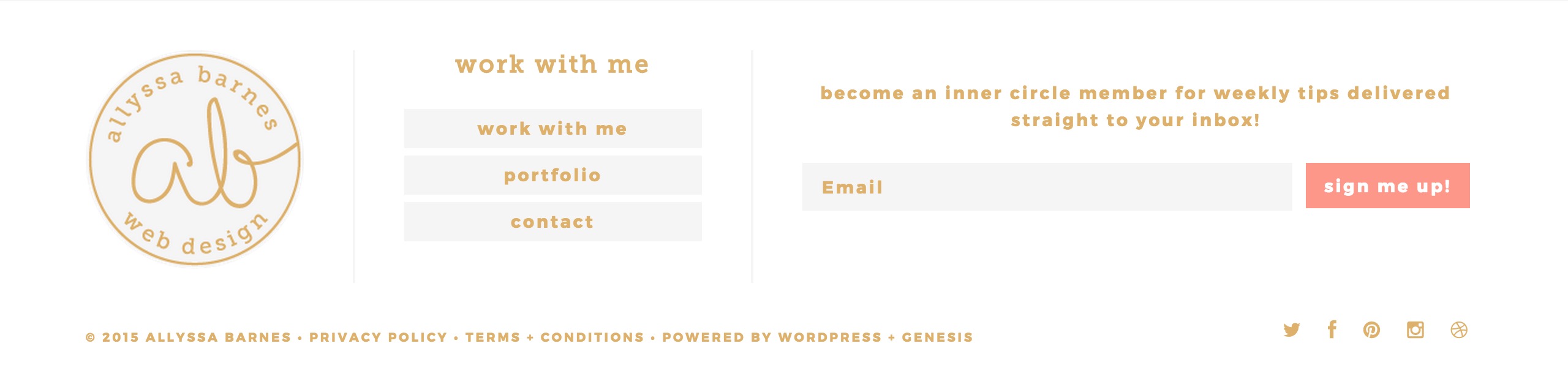
Source: Allyssa Barnes
Are you considering giving your footer a makeover? What are some things you’d consider “must-haves” for a footer?
